
When you have finished reading the help notes, please close this window.
To record AM and PM roll checks in GoDigital! log in to GoDigital! as the Service Admin. Roll Checks are found under Children > Roll Checks.

Select applicable Roll Check to mark the roll for the AM Check, the roll can be marked by selecting the "checked" radio button for each child, alternatively all children can be marked present by selecting "check all" at the bottom of the screen.
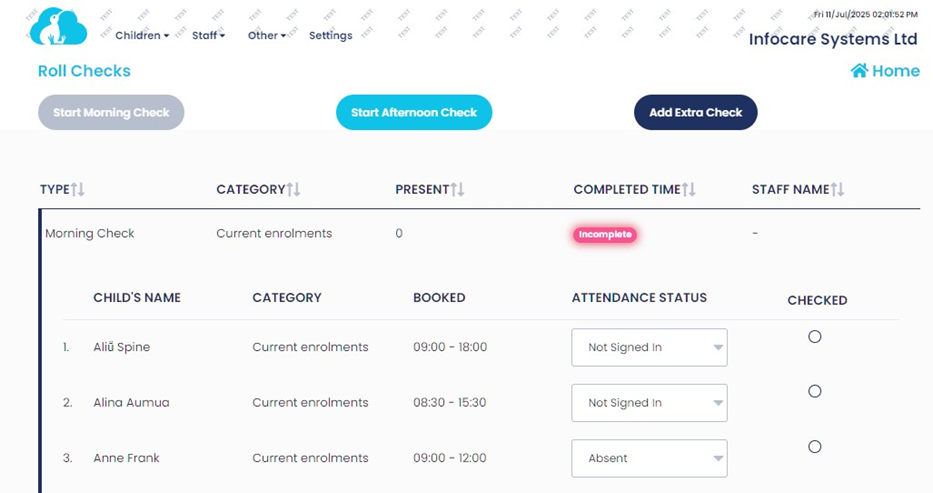
To add additional roll checks during the day select "Add Extra Check" a new roll check will be populated, for example an additional roll check may be used as part of the Service's emergency procedures.
For further information or assistance call
0508 INFOCARE (0508 463622) or email help@infocaresolutions.co.nz
©