Tax Receipts for Donations | Electronic Signatures
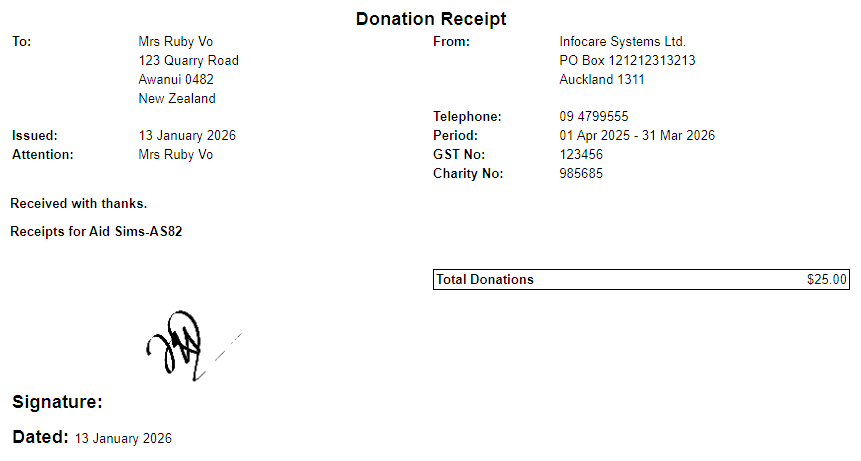
An enhancement has been made to the Donation Tax Receipt whereby electronic signatures can now be added.
The electronic signature image file is uploaded into Infocare by going to Utilities > File Upload > Select browse to locate the saved electronic signature > Select Continue
The signature is then added to the tax receipt template by going to Centre > Centre Options > Billing > In the field titled "Electronic Signature file name for Tax Receipts", type in the name of the electronic signature file (exactly as it is saved under Utilities > File Upload which is visible in Utilities > File Download) > Select Update.
When Tax Receipts are created the electronic signature will appear as in the screen shot below.
Billing > Accounts Processing > Tax Receipts
GoEnquiry! - Enhancement to Reports
An enhancement has been made to GoEnquiry! reports, "Age" can now be selected as an option under the drop down list titled "Field".
Utilities > GoEnquiry! > Reports > Field 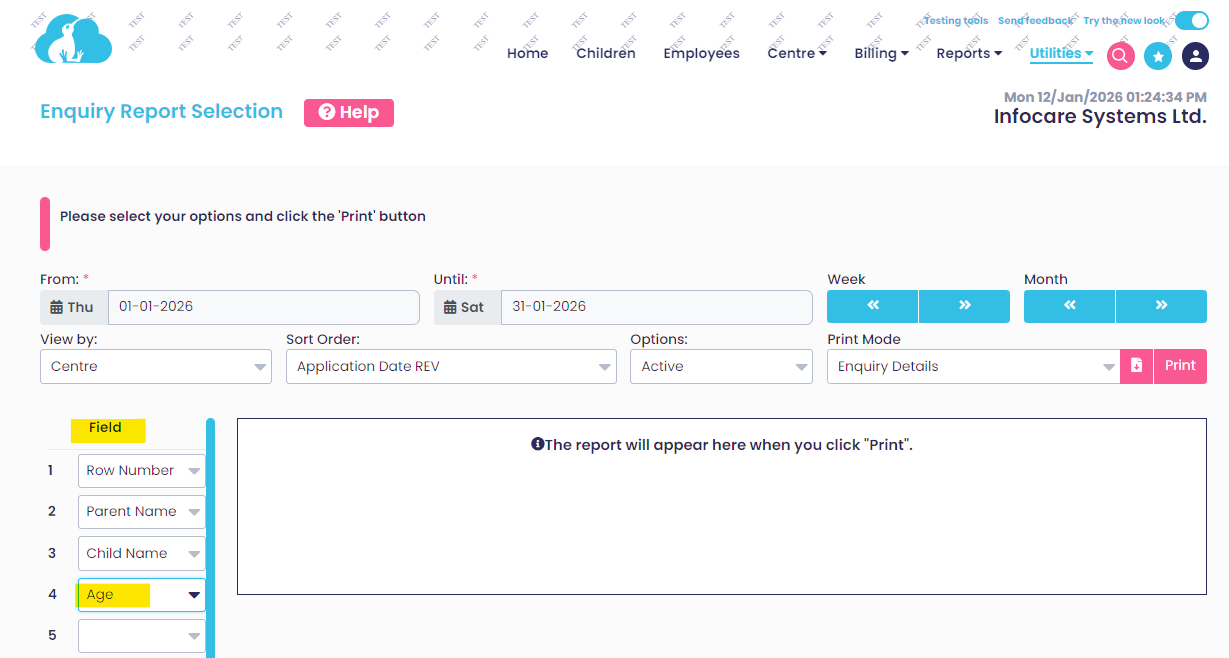
Staff Time Summary Report Enhancement
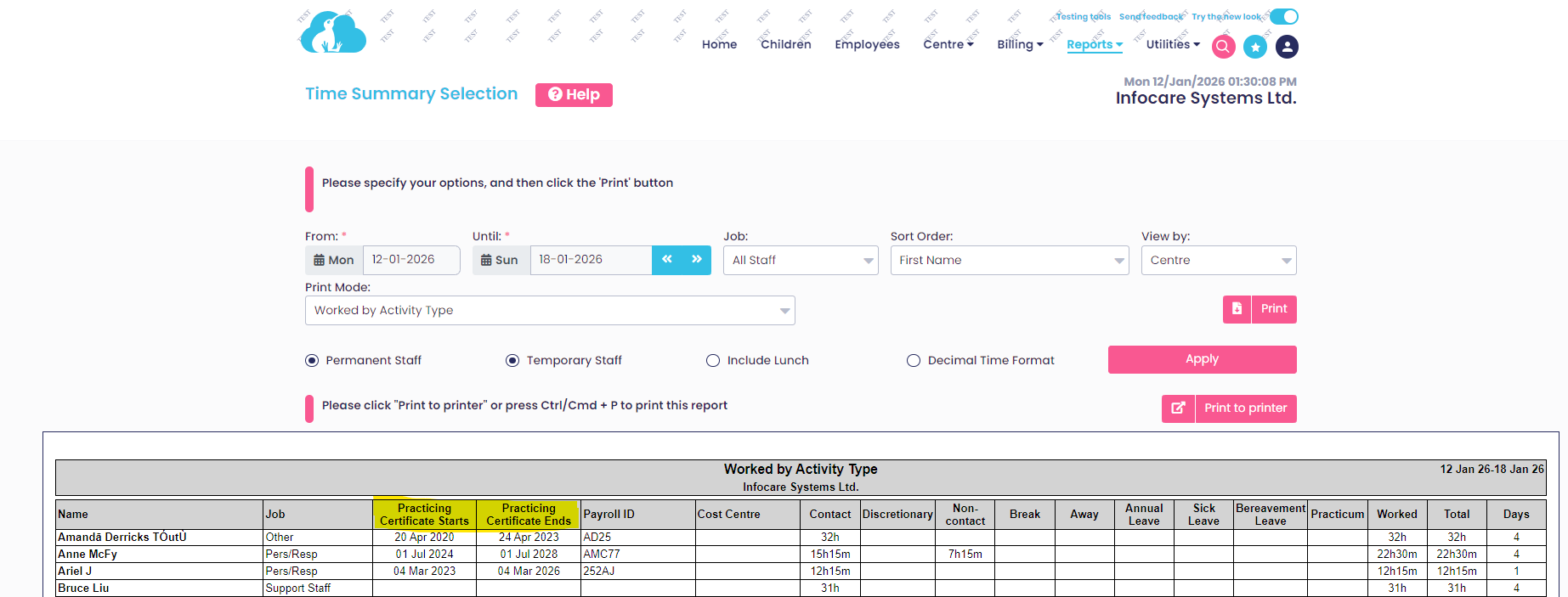
An enhancement has been made to the Time Summary Report, this report now includes details of the employees Practicing Certificate start date and Practicing Certificate end dates.
Reports > Staff Reports > Time Summary