
When you have finished reading these help notes, please close this window.
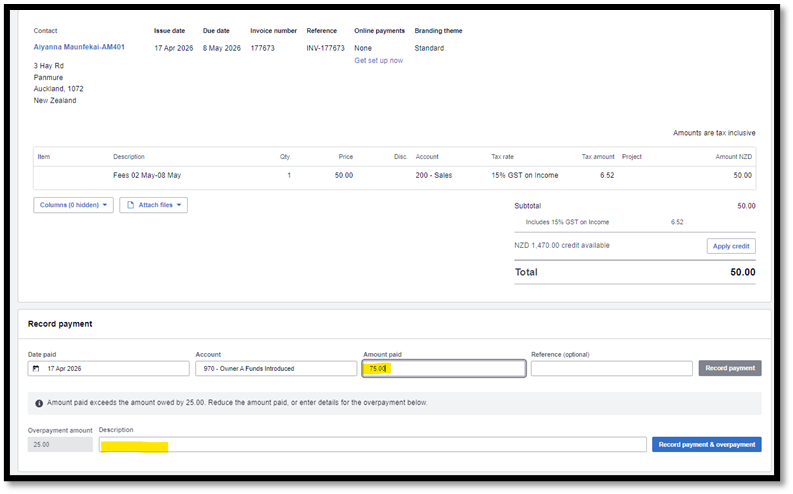
When a parent has paid an account and it is ready for matching in Xero, if the payment is greater than the pending invoice, in order for the full payment amount to be pushed through to Infocare it is important to modify the payment details in Xero.
If the payment is not modified only the invoice amount may push through to Infocare.
Click on the Xero Home page, then click on “Reconcile Items” 
Select the payment you wish to process
Click on the transaction to open the receipt > Scroll to the bottom of the screen > In the “Record Payment” section > Select the applicable account > In the Amount Paid field type in the full amount the parent paid > Select Record payment > In the Description field type “overpayment/prepayment” > Select Record payment and Overpayment.
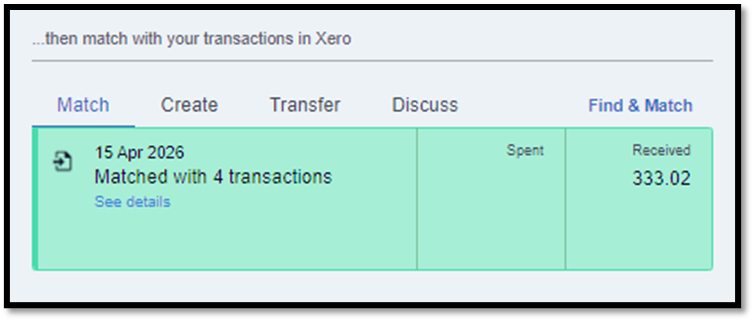
If the payment does not include the invoice number or identifying reference and Xero offers several matches, you may need to search for the payment, to do this select “see details”
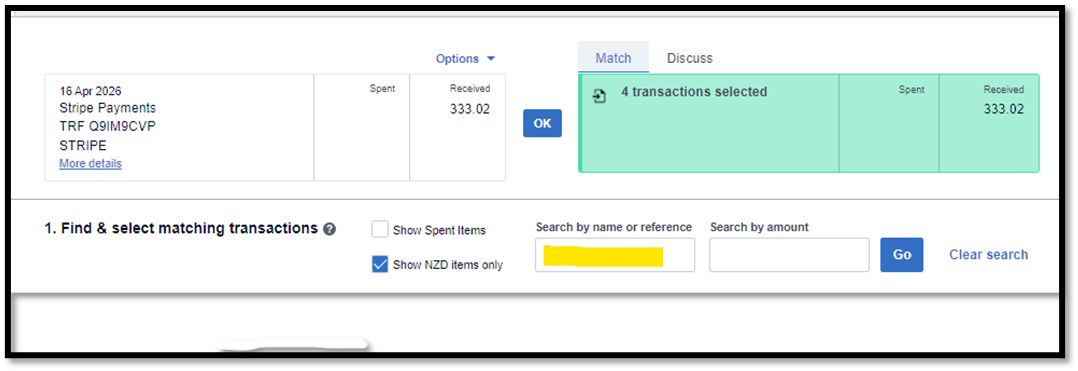
You can search for a payment by typing a name or refence in the "search by name or reference" field.
Once the synchronisation has taken place both the invoiced amount and the overpayment amount will be imported into Infocare. You can see this under Billing > Xero > View Payments > Select "Go to Batch Receipts"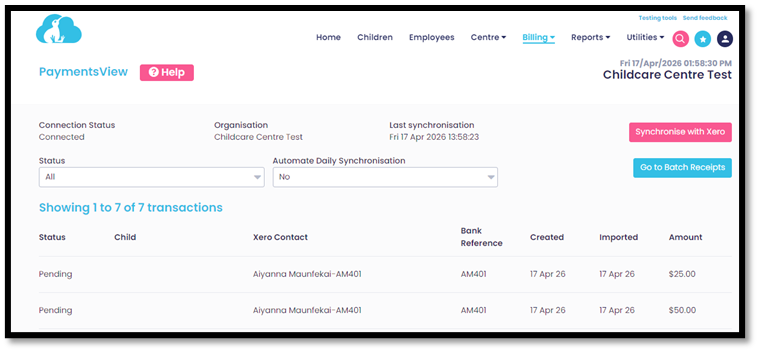
For further information or assistance please call
0508 INFOCARE (0508 463622) or email help@infocaresolutions.co.nz