Income Loss (Funding) Report
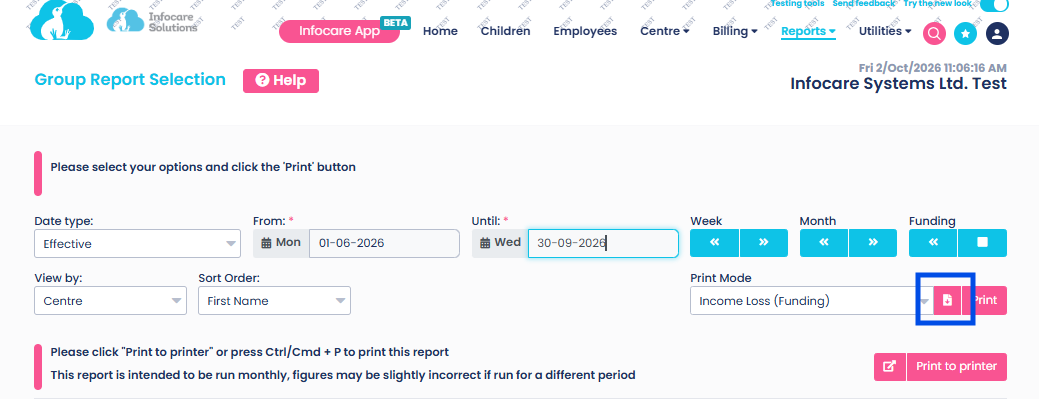
Enhancements have been made to the Income Loss Report which is found under Reports > Group Reports > General > Print mode = Income Loss (Funding). This report is best run for monthly date ranges - ie: 1/10/2026 -31/10/2026.
The Income Loss report now shows the amount of funding lost for the period selected and will be displayed in categories of:
Frequent Absent Rules, Three Week Rule, Casual Funding, Manual Exemption (where "No Funding" has been manually selected by the user in Sign in Sheets) and Total amount of lost funding.
In addtion a full break-down of funding loss for each child can be found by using the "create file" option to generate a CSV file. The create file icon is located next to the pink print button.
This Report can be run by Group, Region, Area, Subgroup or Centre - depending on how your service/s is set up.
Once the create file button is selected a csv file will appear on screen, this file can then be downloaded to your computer and opened to view.
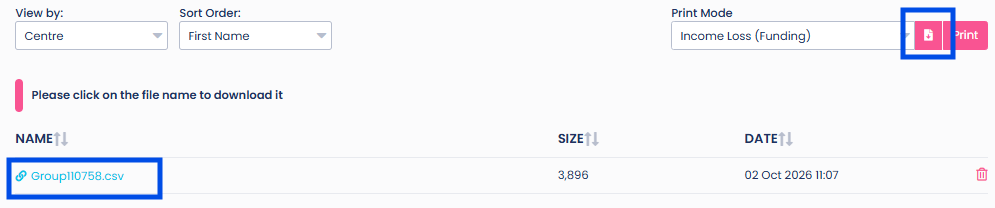
The CSV File will show individual details for each child.
The below example shows a small section of the data within the CSV file.
The csv file includes full details of the child's booking times/hours, their attendance times/house, the date where funding has been lost, the reason for loss of funding, their funding category, the applicable funding rate, the total amount of lost funding for the child.

GoDigital! - Sign in/out cooldown
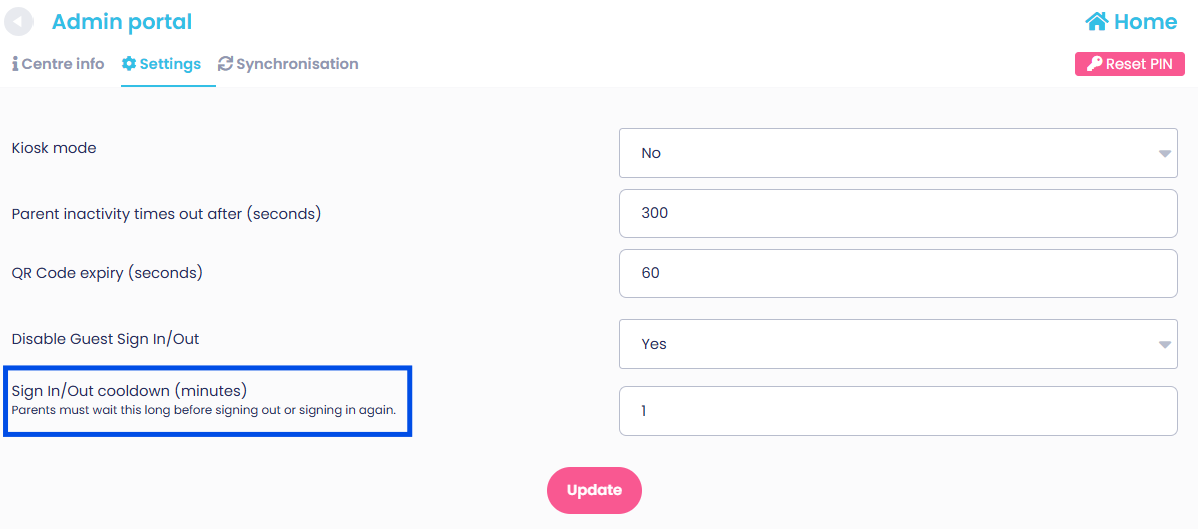
A new feature has been added to GoDigital! to help prevent parents/guardians from inadvertently signing a child out/back in immediately after signing the child in/out.
The Sign in/Out cooldown time can be amended in GoDigital! within the Settings menu at the top of the screen.
If the cooldown period is set to 5 minutes the parent/guardian must wait 5 minutes before being able to sign the child in/out again.