GoDigital! - Delete sign in/out event
A new Exclude feature has been added to enable users to delete incorrect sign in/sign out events from GoDigital!. For example where a contact inadvertently signs a child out immediately after signing the child in, this record is essentially incorrect and should be deleted.
It is now much harder for contact's to sign a child in/out in quick succession as there is a new sign in/out cooldown period to help prevent this from occuring. The sign in/out cooldown period can be modified by logging in to GoDigital! > Select Settings > Modify the cooldown time and select update.
The new Exclude button should only be used to remove entries for children where they have been signed in/out incorrectly. This function removes the signature and associated times so the user needs to ensure they are certain the record should be deleted before proceeding.
The Exclude button should not be used to remove children who have not attended for a day they are booked in for. These records should continue to be updated in Infocare.
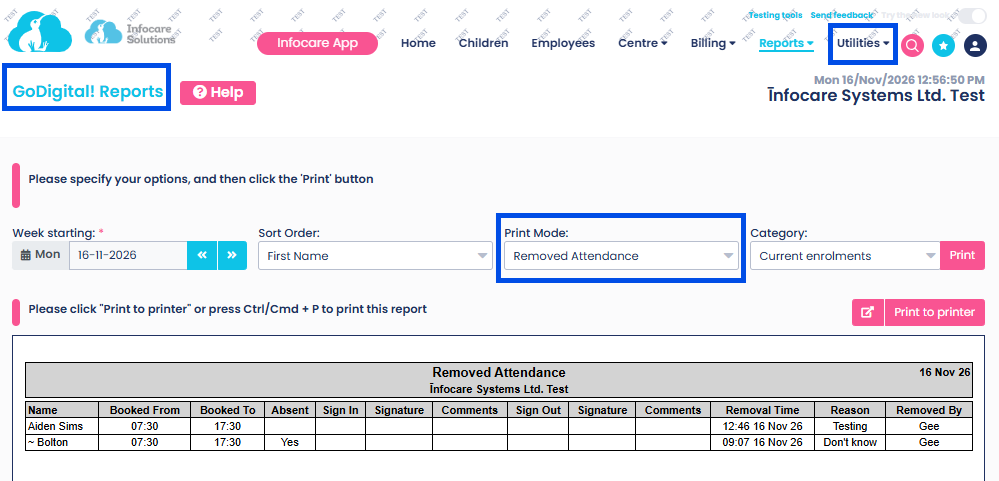
Incorrect attendance events can be deleted by logging in to GoDigital! as the Service Administrator > Select Children Attendances > Select the applicable date > Locate the child > Click on the childs name > Select "Exclude" for the incorrect session/s that needs to be removed.
A pop up box will appear where the user will need to confirm the record selected should be removed by completing all fields and selecting "Confirm to Exclude".
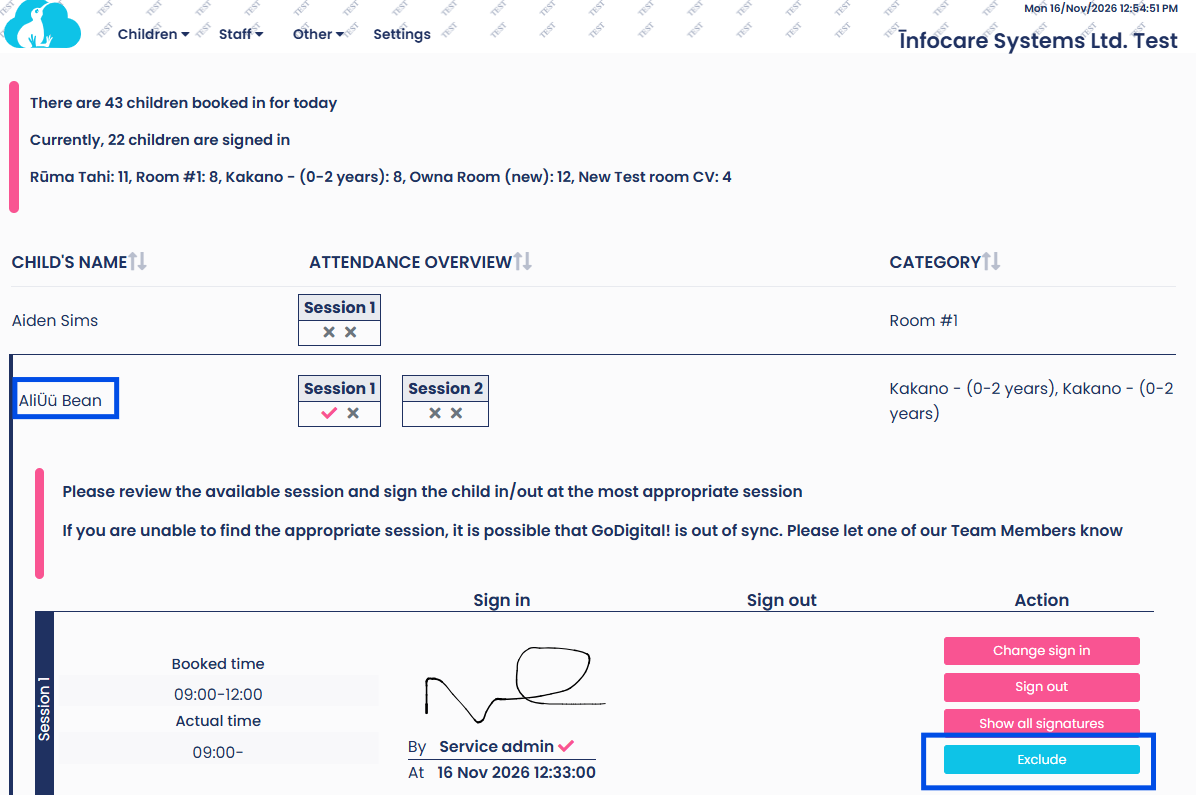
Type in the reason for excluding the record, the staff members name, type the word Exclude > Click Confirm to exclude
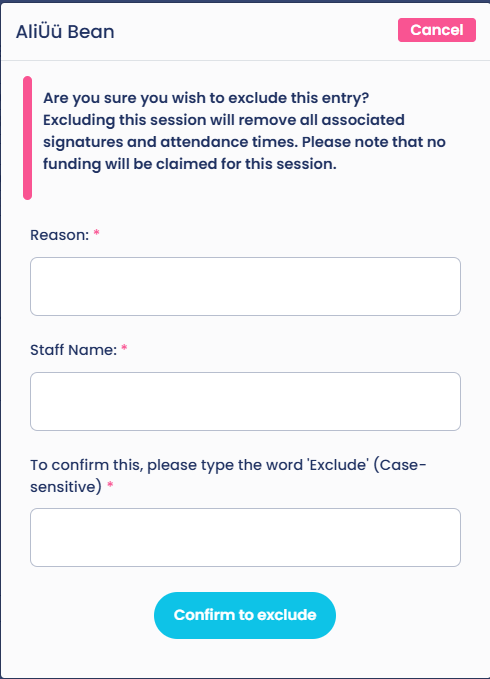
GoDigital Reports - Removed Attendance
A new report has been added to show Child attendance records that have been deleted/excluded.
This report is found in Infocare under Utilities > GoDigital Reports > Removed Attendance.